Free Google Sheets Staff Directory Template
Includes a working reporting hierarchy dropdown so nothing breaks when people are added. When you outgrow the sheet, one flat price gets you a live, shareable directory — whether your org has 30 people or 300, whether they're employees, contractors, or volunteers.
Why a Google Sheet works as your staff directory
Many rosters already live in one. That's not a workaround, it's the right foundation.
Already there
If you have a working roster, it's probably already a Sheet. No migration, no re-entering anyone, no new workflows.
Free and familiar
No new tool to learn, no license or per-seat cost. It's the Google Workspace your team already uses every day.
Sharing, solved by Google
Who can edit is already handled by Sheets' own permissions, nothing extra to configure.
Comfortable up to a few hundred people
Well within range for most teams this template is built for.
Curious where a plain sheet stops being enough on its own, and how OrgNice fits? Read: Turn Your Google Sheet Into a Staff Directory →
What's in the template
Built to hold up as your team changes — not just a list of names.
A reporting hierarchy that actually works
A Reports-To column with data validation, so the structure holds together as people are added, moved, or leave — no broken references to clean up later.
Type & Status dropdowns
Mark people as employee, contractor, or volunteer, and active or inactive — so your whole team is represented, not just payroll.
An instructions tab
A short guide built into the sheet itself, so whoever maintains it — now or in six months — knows how to keep it correct.
See it in action
This is what the sheet grows into.
Search, browse profiles, and see the reporting hierarchy — live, in the Hartwell Academy demo. It's built from a sheet just like this one, including staff, governors, and volunteers who don't have a school email.
Open the live demo →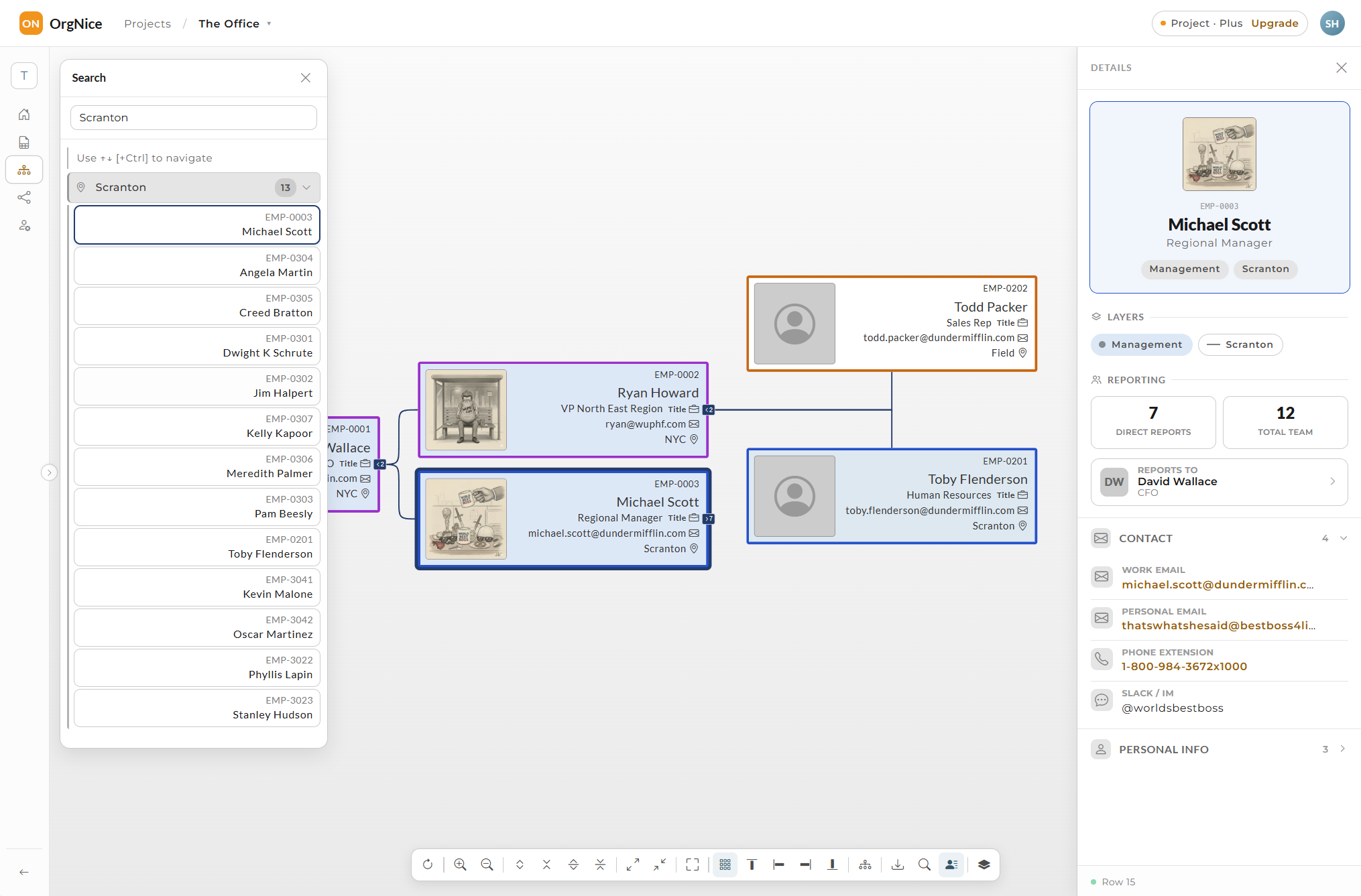
You won't outgrow the Sheet for a long while when paired with OrgNice
One flat price turns the same sheet into a live, shareable directory, no re-entering data, no new workflow.
Live, not exported
Skip PDFs and screenshots that go stale the day you send them. A live, shareable directory that always matches the sheet.
One flat price, especially once you're past 50-100 people
No per-seat charges as you add contractors, volunteers, or new hires, right when per-seat pricing elsewhere starts to bite.
Your whole org, not just employees
Employees, contractors, board members, volunteers, anyone in the sheet shows up in the directory, company email or not.
Hierarchy, handled automatically
The Reports-To column you already filled in becomes a real, navigable org chart, no redrawing boxes and lines by hand.
Where your team already looks
Most OrgNice customers embed their live directory directly into their intranet, Google Site, or wiki. It stays live there too, no separate place to check.
Wondering how the directory holds up as headcount grows, or your workforce mix changes? Read: Scale Your Google Sheets Staff Directory →
We compared a number of different Directory approaches and tools that you might be interested in - Read: Best Staff Directory Tools for Google Sheets Teams →
Ready to make it live?
Connect the same sheet — nothing to re-enter.
Start free →